
• 2025 Year in Review: The Year Copilot Became a Coworker

    If 2023 was the year everyone talked about AI, and 2024 was the year everyone tested AI, then 2025 was the year AI grabbed a permanent seat at the conference table, logged into Microsoft 365, and just started… working.

    This year, Copilot 365 went from “that cool new feature” to “the coworker who somehow knows where every file is, remembers every meeting, but still doesn’t get me coffee.” And for me? It was a front-row seat to one of the biggest shifts in how people use technology since the smartphone.

    Talking with Dozens of Customers: Translation—AI Therapy Sessions
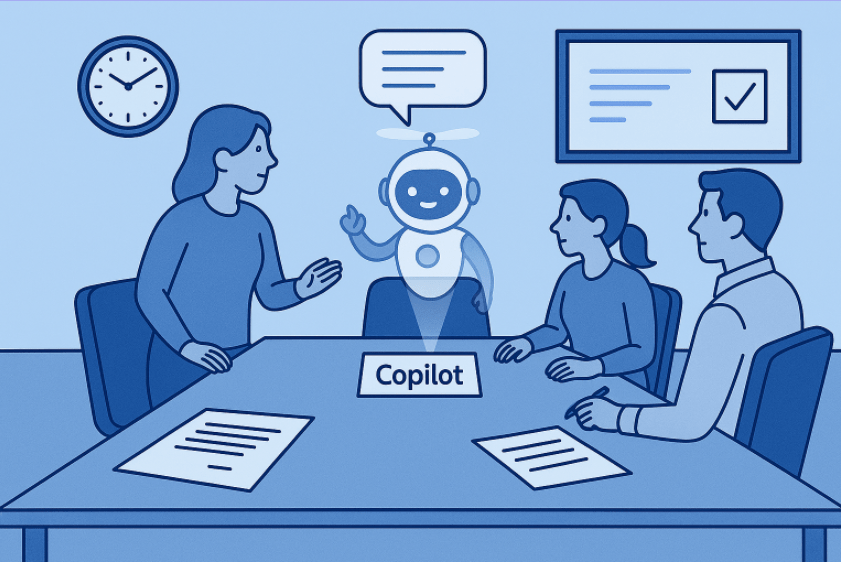
    a business meeting with an empty chair labeled “Copilot” and a holographic AI taking notes — exactly as requested.

    I spent the year meeting with dozens of customers across industries: construction, finance, retail, manufacturing, healthcare, and a few who still claim, “we run on spreadsheets and hope.” Almost every conversation followed a predictable arc:

    1. “We’ve tried AI… but we’re not sure if we’re doing it right.”
    2. “Wait, Copilot can do that?”
    3. “Okay but what about our data security?”
    4. “Okay but does it REALLY save time?”
    5. “Okay but can it fix our broken SharePoint site from 2016?” (It cannot. Please stop asking.)

    Across the board, customers had the same realization: Using AI isn’t about replacing workers, it’s about replacing work nobody wanted to do in the first place. Summaries, status reports, meeting prep, inbox triage… Copilot became the teammate who doesn’t complains, never sleeps, and always shows up prepared.

    Copilot 365: The Real MVP of 2025
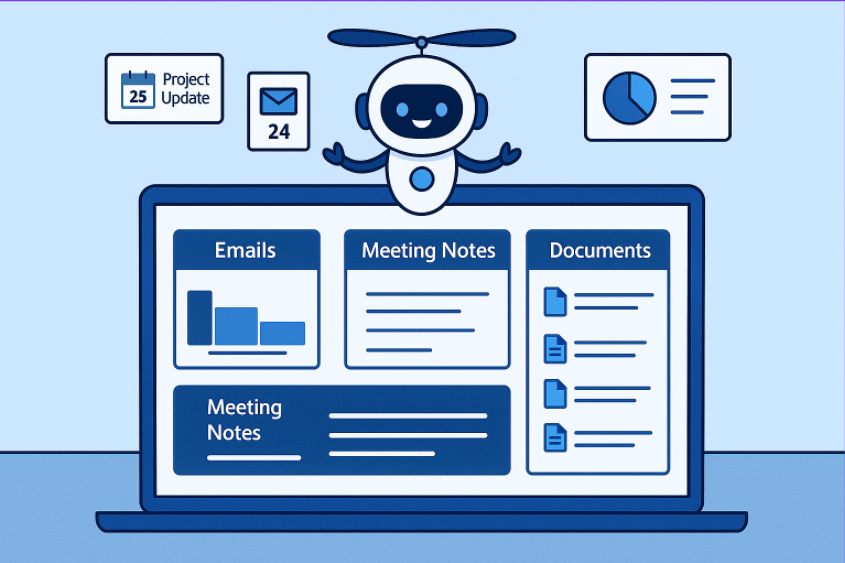
    A friendly cartoon-style AI character hovers above an open laptop displaying an organized dashboard with sections for Emails, Meeting Notes, and Documents. Around the AI, small icons show a calendar reminder, an unread email count, and a simple analytics chart, representing the AI helping manage updates, messages, and information.

    Some of the standout Copilot 365 moments this year:

    • Outlook Copilot continued to save careers by turning piles of unread emails into digestible summaries instead of burnout catalysts.
    • Teams Copilot became that one person in every meeting actually taking notes, except this time they’re accurate.
    • SharePoint and OneDrive Copilot finally made finding files feel less like archaeology.
    • Power Platform + Copilot took app-building mainstream… like “your coworker who still double-spaces after periods built an app” mainstream.

    And somehow Copilot still hasn’t unionized.

    AI Topics That Defined 2025
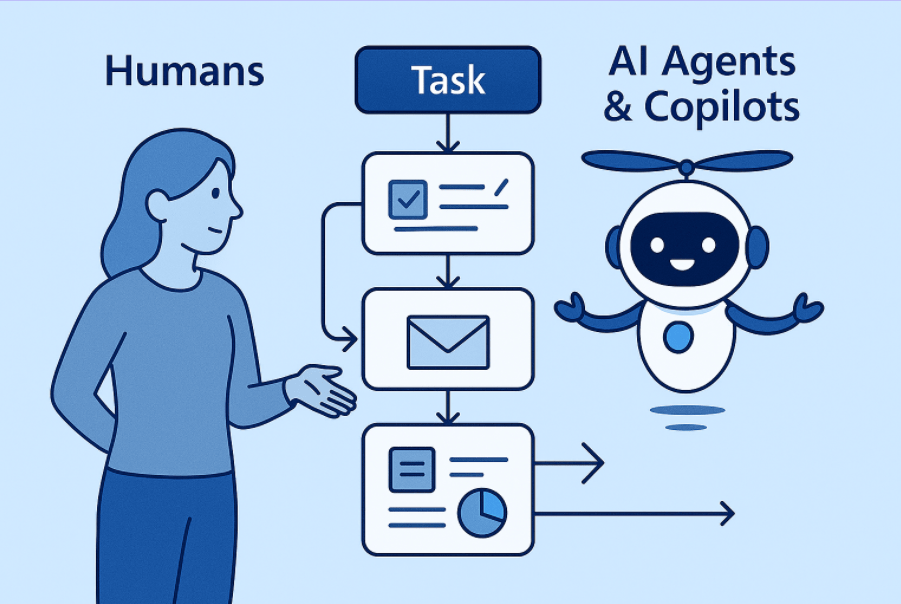
    Here’s what kept coming up again and again this year:

    • Responsible AI & Governance
      Everyone wants AI power, no one wants AI chaos.
    • AI in workflows (the real AI revolution)
      Not magic, just smart automation layered on top of familiar tools.
    • Agentic systems + copilots working together
      (A personal favorite, especially as I prepare talks on Copilot Agent Factories.)
    • AI literacy becoming a real skill
      Prompting is not a trend; it’s the new digital fluency… And the ability to save and share those prompts.
    • The Great “Do We Need a Policy for This?” Movement
      Yes. Yes, you do.

    A Little Humor for 2025 (because we deserve it)
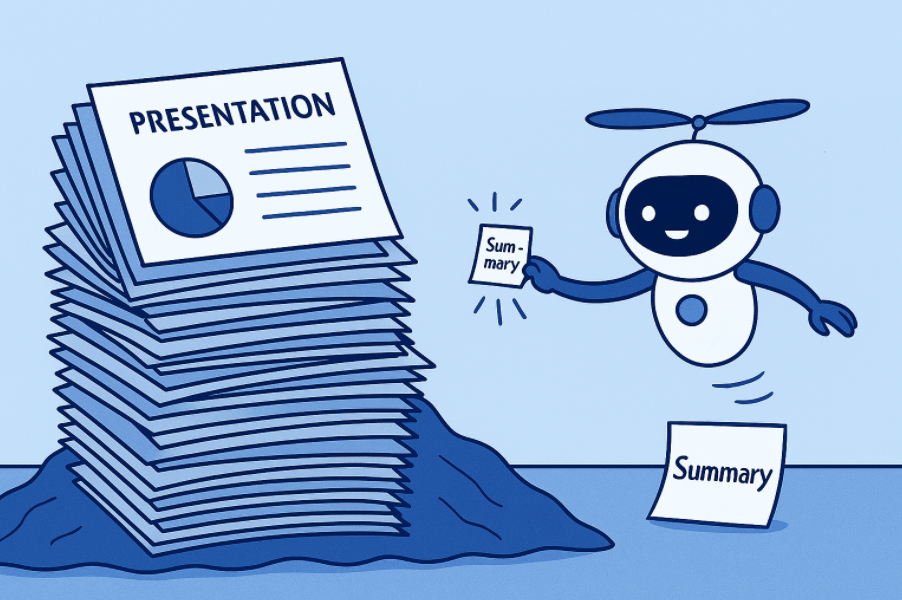
    Funny cartoon of AI shrinking a massive 40-slide deck into one post-it note

    A few things I’ve learned this year:

    • AI doesn’t hallucinate nearly as much as the people who think they understand how licensing works.
    • Copilot is great at summarizing decisions, assuming your meeting actually had any.
    • If you want people to understand AI, don’t show them a 40-slide deck, show them how to use it to avoid writing the deck.

    And my favorite customer quote of the year:
    “If Copilot really works like this, I might finally have a work-life balance. Or at least pretend to.”

    Looking Ahead: 2026 and the Road Forward

    Bright futuristic horizon with human and AI silhouettes working together — optimistic, forward-looking.

    If 2025 was about adoption, 2026 will be about integration. Not just plugging AI into tools, but weaving it into processes, culture, and decision-making. We’re heading toward a year where:

    • Copilot becomes proactive, not reactive
    • AI literacy becomes a standard job skill
    • Agents handle multi-step workflows end-to-end
    • Knowledge workers finally get to be knowledge workers again

    2026 won’t be “the year of AI.”
    That’s behind us.
    2026 will be the year organizations finally learn how to work with their new AI teammates.

    And I can’t wait.

  • From One Missed Day to a Month—and What’s New with Microsoft Copilot

    I had been posting regularly on this blog, building momentum and enjoying the rhythm of sharing insights, reflections, and updates. Then I missed a day. Just one. And it’s wild how quickly one day turns into a week… and then a month. Life moves fast, and sometimes even the best intentions get swept up in the current. My oldest daughter turning 16 today, makes that hit home a little harder today.

    But I’m back—and just in time for one of the most exciting events in the Microsoft ecosystem: Microsoft Ignite 2025. This year’s conference promises to be a showcase of innovation, especially around AI and Copilot technologies that are transforming how we work, create, and collaborate. You can still register to attend on-line for free!!!

    I thought going before Ignite, where there are sure to be tons of announcement, it might be nice to recap some latest updates to Copilot over the past few month:

    Copilot Updates: What’s New and Why It Matters

    Over the past three months, Microsoft has rolled out a wave of enhancements across the Copilot experience—spanning Microsoft 365, Teams, Outlook, PowerPoint, and more. Here are some highlights and how they help end users:

    🧠 Smarter, More Context-Aware Responses

    • Improved file-based question handling: Copilot now better interprets vague or multi-document queries, helping users get accurate answers without needing to fine-tune their prompts.
    • Session persistence in Copilot Chat: Conversations are now saved automatically, so users can pick up right where they left off—even after navigating away.

    📅 Productivity Boosts in Microsoft 365

    • Meeting planning in Outlook: Copilot helps prep for meetings with expanded coverage and smarter suggestions.
    • Agent Mode in Word and Excel: These new modes assist with drafting, editing, and data analysis, making everyday tasks faster and more intuitive.
    • Speaker notes and translation in PowerPoint: Great for presenters and global teams, these features streamline communication and accessibility.

    📱 Mobile and Cross-Platform Enhancements

    • Copilot Vision on mobile: Now available for free in the US on iOS and Android, bringing visual intelligence to your fingertips.
    • Copilot app on macOS: Expanding access beyond Windows, users can now enjoy the full Copilot experience on Mac.

    🛠️ Developer and Admin Tools

    • Copilot Studio Lite: A streamlined experience for building custom agents, making it easier for developers to create tailored AI solutions.
    • Project Manager Agent in Planner: Helps teams move work forward with real-time web-grounded recommendations and task automation.

    💡 Why This Matters

    These updates aren’t just technical tweaks, they’re quality-of-life upgrades for anyone using Microsoft tools. Whether you’re drafting a proposal, prepping for a meeting, or juggling multiple projects, Copilot is becoming a more reliable, intuitive, and personalized assistant.

    As we head into Ignite, I’m excited to see how these innovations evolve, and how they’ll empower users like you and me to do more with less friction

  • Unlocking Business Value with Generative AI and Microsoft Copilot

    Artificial intelligence is no longer a distant concept, it’s here, reshaping how we work, create, and solve problems. In my role as a Technical Architect at Microsoft, I spend a lot of time with enterprise customers who are asking the same question: Where do we start with AI?

    The answer isn’t just about technology. It’s about people, process, and purpose.

    Meeting Customers Where They Are

    Every organization is at a different stage in its AI journey. Some are experimenting with generative AI for the first time, while others are already building advanced solutions. What I’ve learned is that success comes from starting with the business challenge, not the tool.

    That’s where our Microsoft Innovation Hubs makes a real difference. It’s more than a showcase of technology, it’s a collaborative space where customers, Microsoft experts, and field resources come together to co-create solutions that matter. We don’t just talk about AI; we roll up our sleeves and build with it.

    Why Generative AI and Copilot Matter

    Generative AI and Microsoft Copilot are changing the way people work:

    • Productivity: Automating repetitive tasks so employees can focus on higher-value work.
    • Creativity: Unlocking new ways to generate content, insights, and ideas.
    • Decision-making: Providing data-driven recommendations that help leaders move faster with confidence.

    But the real advantage isn’t just in the technology, it’s in how organizations adopt it. By engaging with customers directly in the Innovation Hub, we help them envision what’s possible, prototype quickly, and scale responsibly.

    Building Solutions That Matter

    The most rewarding part of my work is seeing customers light up when they realize AI isn’t just a buzzword, it’s a practical tool that can transform their business. Whether it’s streamlining operations, enhancing customer experiences, or reimagining entire workflows, the impacts are tangible.

    At Microsoft, we believe AI should empower every person and every organization to achieve more. And through the Innovation Hub, we’re helping to make that vision real, one solution at a time.

    Closing Thought

    If you’re curious about how generative AI and Copilot can create value for your business, I’d love to continue the conversation. The journey starts with a single step, and the Innovation Hub is the perfect place to take it.

  • From Ideation to Impact: A Repeatable Framework for AI-Powered Business Enablement

    Why This Matters

    AI is no longer a buzzword—it’s a competitive advantage. Organizations are under pressure to increase productivity, improve forecast accuracy, and accelerate deal cycles. While tools like Microsoft 365 Copilot are transforming knowledge work, many customers are building custom AI solutions with Copilot Agents or on Azure OpenAI to address unique business needs.

    But here’s the challenge: technology alone doesn’t deliver value. Success requires a structured approach that aligns AI capabilities with business outcomes, integrates into existing processes, and drives adoption at scale.

    That’s where a repeatable engagement framework comes in.


    The Engagement Framework

    I’ve been using is a four-phase approach that helps organizations move from ideation to impact:

    Phase 0: Preflight & Readiness

    Before we start building, we ensure:

    • Executive sponsorship and clear success criteria.
    • Data readiness and compliance guardrails.
    • Environment setup (M365 Copilot, Power Platform environments, Copilot Studio, Azure OpenAI, security, identity).

    Deliverable: Preflight checklist, risk log, success metrics baseline.


    Phase 1: Discovery & Ideation

    Run a sales leadership workshop to:

    • Align on strategic goals.
    • Identify and prioritize 3–5 high-value use cases using an Impact vs Effort matrix.
    • Define success metrics and data dependencies.

    Workshop Agenda (2.5–3 hrs):

    1. Context & goals
    2. Lightning demos
    3. Guided ideation
    4. Impact vs Effort voting
    5. Data & dependency scan
    6. Define success
    7. Next steps

    Output: Prioritized backlog and use case canvases.


    Phase 2: Business Process Mapping

    We map AS-IS and TO-BE processes to:

    • Identify AI integration points.
    • Define controls, exception handling, and governance.
    • Document data lineage and non-functional requirements.

    Output: BPMN diagrams, risk/control matrix.


    Phase 3: Proof of Concept (PoC)

    We validate feasibility and value with:

    • Copilot Studio or Azure OpenAI + RAG architecture.
    • Safety filters, telemetry, and evaluation scorecards.
    • Success criteria: functional, business, and risk based.

    Output: Working prototype, demo script, go/no-go decision.


    Phase 4: Business Enablement & Train-the-Trainer (T3)

    Adoption is everything. We deliver:

    • A 4-week T3 program (Foundations → Role Plays → Tool Mastery → Certification).
    • Role-based playbooks, job aids, and usage policies.
    • Champions network and telemetry-driven nudges.

    Governance & Value Realization

    Throughout the engagement, we embed:

    • Responsible AI principles (fairness, transparency, accountability).
    • Security and compliance (DLP, RBAC, audit logging).
    • Value tracking (baseline → target → actual).

    Why This Works

    This approach combines design thinking, process optimization, and AI solution architecture with change management and enablement. It’s not just about building a model—it’s about driving measurable business outcomes


    Your Turn

    What’s the biggest challenge you see in bringing AI into your sales process—technology, data, or adoption? Drop a comment or reach out to start the conversation.

  • Building a Culture of Innovation: Empowering AI Experimentation and Growth

    In today’s rapidly evolving digital landscape, artificial intelligence (AI) is no longer a futuristic concept—it’s a strategic imperative. But successful AI adoption isn’t just about technology; it’s about people, mindset, and culture. Organizations that thrive with AI are those that foster a culture of innovation, one where curiosity is encouraged, experimentation is safe, and learning from failure is celebrated.

    Why Culture Matters for AI Success

    AI initiatives often require cross-functional collaboration, creative problem-solving, and a willingness to explore the unknown. Without a supportive culture, even the most promising AI projects can stall. A culture of innovation provides the psychological safety and organizational agility needed to test new ideas, iterate quickly, and scale what works.

    Creating a Safe Space for Experimentation

    Innovation flourishes when employees feel safe to take risks. Leaders play a critical role in setting the tone:

    • Normalize failure as part of the learning process. When teams know that failed experiments won’t be punished, they’re more likely to try bold ideas.
    • Encourage rapid prototyping and pilot programs. Small-scale experiments allow teams to test hypotheses without heavy investment.
    • Celebrate effort and learning, not just outcomes. Recognizing the journey reinforces a growth mindset.

    Leadership’s Role in Fostering Innovation

    Leadership isn’t just about setting strategy, it’s about enabling others to innovate. Here’s how leaders can support a thriving AI culture:

    • Model curiosity by asking questions, exploring new tools, and staying open to unconventional ideas.
    • Provide resources time, budget, and access to technology—for experimentation and upskilling.
    • Break down silos to encourage cross-disciplinary collaboration. AI often lives at the intersection of data, domain expertise, and creativity.

    Empowering Employees to Innovate with AI

    AI is a tool, but people are the drivers. Empowering employees means:

    • Offering training and hands-on experiences with AI tools.
    • Creating communities of practice where employees can share learnings and challenges.
    • Encouraging bottom-up innovation, where ideas come from those closest to the work.

    Celebrating Creative Use of AI

    Recognition fuels momentum. Highlighting successful AI use cases, especially those that solve real problems or improve customer experiences—helps build excitement and trust. Whether it’s automating a tedious task or uncovering insights from data, every win reinforces the value of innovation.

    Building for the Long Term

    A culture of innovation isn’t built overnight. It requires intentional effort, consistent reinforcement, and a shared belief that experimentation leads to growth. When organizations invest in this foundation, AI initiatives don’t just survive—they thrive.


    Final Thought:
    AI is transforming how we work, but its true potential is unlocked when people are empowered to explore, experiment, and innovate. By cultivating a culture that supports curiosity, learning, and collaboration, organizations can turn AI from a buzzword into a strategic advantage.

  • AI and the Frontier Firm

    AI and the Frontier Firm

    In 2025, Microsoft declared this the year the Frontier Firm is born, a new organizational model built around the fusion of human ingenuity and artificial intelligence. This isn’t just a marketing slogan. It’s a strategic blueprint for how businesses must evolve to remain competitive in an era where AI agents are reshaping work, workflows, and workforce dynamics.

    What Is a Frontier Firm?

    Frontier Firm is an organization that has fully embraced AI, not just as a tool, but as a core operational partner. These firms are:

    • AI-operated but human-led, blending machine intelligence with human judgment.
    • Structured around hybrid teams of humans and AI agents.
    • Designed to scale rapidly, operate with agility, and deliver value faster than traditional models.

    The Journey to Becoming Frontier

    Microsoft outlines a three-phase transformation:

    1. AI as Assistant – Automating repetitive tasks to boost productivity.
    2. AI as Digital Colleague – Agents take on delegated tasks, collaborating with humans.
    3. AI as Operator – Agents run entire workflows autonomously, with humans steering outcomes.

    Key Traits of Frontier Firms

    Frontier Firms share five defining characteristics:

    • Organization-wide AI deployment
    • Advanced AI maturity
    • Current and projected agent use
    • Belief in agents as key to ROI
    • A culture of experimentation and agility

    The Costs of Not Becoming Frontier

    Failing to adapt means falling behind. Microsoft’s data reveals a growing capacity gap: 53% of leaders say productivity must increase, but 80% of employees say they’re out of time and energy. AI agents are the answer to this crisis, offering scalable digital labor that can reason, plan, and act.

    Organizations that delay AI adoption risk:

    • Reduced competitiveness
    • Talent attrition
    • Operational inefficiencies
    • Missed innovation opportunities

    The Rise of the Frontier Worker

    Just as organizations must evolve, so must individuals. Enter the Frontier Worker, someone who collaborates with AI agents, manages them, and uses them to amplify their impact.

    Microsoft introduces the concept of the Agent Boss, a role where employees design, delegate to, and refine AI agents. This isn’t limited to tech roles. Every employee can become an Agent Boss by learning to:

    • Prompt effectively
    • Validate outputs
    • Apply judgment and context
    • Continuously improve agent performance

    New roles are emerging: AI Agent Specialist, AI Workflow Architect, AI ROI Analyst, AI Trainer—and they’re already appearing on job boards.

    How to Prepare for the Transition

    For Organizations:

    • Invest in AI skilling across all levels.
    • Redesign workflows to integrate agents.
    • Adopt a Customer Zero mindset—use your own AI tools on your business before recommending them.
    • Build data infrastructure to support agentic AI.

    For Individuals:

    • Develop AI literacy—understand how to use, prompt, and manage AI tools.
    • Experiment with agents—start small, iterate, and learn.
    • Focus on uniquely human skills—judgment, creativity, empathy.

    Microsoft Copilot and the Agentic AI Revolution

    Microsoft’s Copilot ecosystem is central to enabling Frontier Firms. From Copilot Studio to Azure AI Foundry, these tools empower organizations to build, deploy, and manage AI agents across workflows.

    Final Thoughts

    The Frontier Firm isn’t a distant vision—it’s already here. Whether you’re a solo entrepreneur, a mid-sized consultancy, or a global enterprise, the question is no longer if you’ll adopt AI, but how fast you’ll move.

    As Microsoft puts it: “Intelligence is now on tap.” The firms, and workers, that learn to harness it will define the next era of innovation.

  • Developing an AI-Ready Workforce: How to Build Skills for the Future

    Artificial IntArtificial Intelligence (AI) is transforming the way organizations operate, innovate, and compete. But technology alone isn’t enough—success depends on people. To truly harness AI’s potential, organizations must develop an AI-ready workforce: employees who are confident, skilled, and empowered to use AI in their roles.

    Here’s how you can begin build a training program that bridges the skills gap and prepares your team for the future.


    1. Start by Identifying Skill Gaps

    Before designing any training, assess your organization’s current capabilities, ask:

    • Do employees have basic digital literacy?
    • Are they familiar with data concepts and security practices?
    • Do they understand how AI applies to their specific roles?

    Use surveys, interviews, and performance data to map out where your team stands. This ensures your program meets employees where they are.


    2. Build Structured Learning Pathways

    AI training should be progressive and role-based, moving from foundational knowledge to advanced expertise:

    • Level 1: Digital Foundations
      Teach essential digital skills, data handling, and security basics.
    • Level 2: AI Awareness
      Introduce core AI concepts—machine learning, natural language processing, and ethical considerations—along with real-world use cases.
    • Level 3: Applied AI Skills
      Provide hands-on training with tools like Microsoft Copilot, Power Platform AI Builder, or other AI solutions relevant to your business.
    • Level 4: Advanced Expertise
      For technical roles, offer deep dives into data science, model development, and AI governance.

    3. Empower Through Practical Experience

    Knowledge is important, but confidence comes from doing. Incorporate:

    • Workshops: Interactive sessions where employees experiment with AI tools.
    • Hackathons: Solve real business challenges using AI.
    • Mentorship Programs: Pair AI champions with learners for guidance and support.

    4. Leverage Online Learning and Certifications

    Partner with platforms like Microsoft Learn, Coursera, or edX to provide structured courses. Certifications validate skills and motivate employees to keep learning.


    5. Foster a Culture of Continuous Learning

    AI evolves quickly. Make learning an ongoing process by:

    • Hosting AI Lunch & Learns
    • Sharing success stories internally
    • Encouraging experimentation and knowledge sharing

    Final Thoughts

    Developing an AI-ready workforce isn’t just about technology—it’s about empowering people to innovate and adapt. Start small, scale thoughtfully, and keep the focus on practical application. When employees feel confident using AI, they become the driving force behind your organization’s transformation.

  • Understanding Data Foundations: Why a Strong Data Foundation is the Bedrock of Any Successful AI Project

    Artificial Intelligence (AI) is transforming industries, unlocking new efficiencies, and enabling innovative solutions. But here’s the truth many organizations overlook: AI is only as good as the data it’s built on. Without a strong data foundation, even the most advanced AI tools will fail to deliver meaningful value.

    Data readiness is critical for AI success and here are some steps organizations should take to prepare their data estate before diving into AI initiatives.


    Why Data Foundations Matter

    AI systems learn from data. If the data is incomplete, inconsistent, or inaccurate, the insights and predictions generated will be flawed. This is often summarized by the phrase:
    “Garbage in, garbage out.”

    A strong data foundation ensures that AI models have access to clean, well-structured, and trustworthy data, which is essential for producing reliable and actionable insights.


    Key Elements of a Strong Data Foundation

    1. Data Quality

    Poor data quality is the number one reason AI projects fail. Issues like duplicate records, missing values, and outdated information can skew results and erode trust in AI outputs.
    Action Steps:

    • Implement data validation and cleansing processes.
    • Regularly audit data for accuracy and completeness.
    • Establish clear data ownership and accountability.

    2. Breaking Down Data Silos

    Many organizations struggle with data trapped in isolated systems: CRM, ERP, marketing platforms, and more. These silos prevent AI from seeing the full picture.
    Action Steps:

    • Integrate data across systems using modern data platforms or data lakes.
    • Adopt a unified data model to ensure consistency.
    • Encourage cross-departmental collaboration to share data assets.

    3. Data Privacy and Security

    AI initiatives often involve sensitive information. Mishandling this data can lead to compliance violations and reputational damage.
    Action Steps:

    • Implement robust data governance frameworks.
    • Ensure compliance with regulations like GDPR, CCPA, or industry-specific standards.
    • Use encryption, access controls, and anonymization techniques to protect data.

    The Role of Data Governance

    Data governance isn’t just about compliance—it’s about creating a culture of data stewardship. Well-governed data ensures:

    • Consistency: Everyone works from the same definitions and standards.
    • Trust: Stakeholders can rely on the data feeding AI models.
    • Scalability: Future AI projects can build on a solid foundation without starting from scratch.

    The Bottom Line

    AI is not magic—it’s math powered by data. Without the right data infrastructure, even the most sophisticated AI tools will struggle to deliver value. Organizations that invest in data quality, integration, and governance will not only accelerate their AI journey but also gain a competitive edge.

    Start with your data. AI success depends on it.

  • Change Management for AI Adoption – Strategies for a Smooth Transition

    Artificial Intelligence (AI) is revolutionizing how organizations operate, but adopting AI isn’t just a technical challenge, it’s a human one. Successfully integrating AI into your workflows requires thoughtful change management to prepare your workforce, address resistance, and ensure long-term success.

    In this post, we explore practical strategies for managing organizational change during AI adoption. Whether you’re a leader driving transformation or a team member navigating new tools, this guide will help you understand how to make the transition smoother and more effective.

    Preparing Your Workforce for AI

    The first step in AI adoption is preparing your people. AI can spark excitement, but it can also trigger anxiety, especially when employees fear job displacement or feel overwhelmed by unfamiliar technology.

    Here’s how to lay the groundwork:

    • Educate and Upskill: Offer training sessions, workshops, and resources to help employees understand what AI is, how it works, and how it will impact their roles.
    • Involve Early Adopters: Identify champions within your organization who are enthusiastic about AI. Empower them to lead by example and support their peers.
    • Clarify the Vision: Communicate the “why” behind AI adoption. Is it to improve efficiency, enhance customer experience, or unlock new capabilities? A clear purpose builds trust.

    Handling Resistance to Change

    Resistance is natural. People may worry about losing control, being replaced, or simply having to learn something new. Addressing these concerns head-on is key.

    Strategies to manage resistance:

    • Listen Actively: Create forums for feedback and dialogue. Let employees voice their concerns and respond with empathy and transparency.
    • Showcase Wins: Share early success stories that demonstrate how AI is helping, not hurting, teams. Real examples build credibility.
    • Start Small: Begin with pilot programs or limited rollouts. This allows teams to adapt gradually and reduces the fear of sudden disruption.

    Communicating the Benefits of AI

    Effective communication is the backbone of change management. It’s not enough to say “AI is coming” <- you need to explain how it will help.

    Focus on benefits like:

    • Reducing repetitive tasks so employees can focus on strategic work.
    • Improving decision-making through data-driven insights.
    • Enhancing customer service with faster, more personalized responses.

    Use multiple channels: emails, town halls, videos, and internal blogs to reinforce the message and keep everyone informed.

    Integrating AI into Existing Workflows

    AI adoption should feel like an evolution, not a revolution. Gradual integration helps teams adapt and ensures that new tools complement existing processes.

    Best practices for integration:

    • Map Current Workflows: Understand how work is done today before introducing AI. This helps identify where automation or augmentation makes sense.
    • Collaborate Across Departments: Involve IT, HR, operations, and other key stakeholders to ensure alignment and smooth implementation.
    • Monitor and Adjust: Use feedback loops to refine AI tools and workflows. Continuous improvement is essential.

    Leveraging Microsoft’s Copilot Adoption Resources

    If your organization is adopting Microsoft 365 Copilot, Microsoft offers a comprehensive Copilot Adoption Hub to support your journey. This resource includes:

    • Success Kits with customizable templates for onboarding and training.
    • Day-in-the-Life Guides to help users envision how Copilot fits into their daily work.
    • Skilling Experiences like 30-day enablement plans to build confidence and competence.
    • Executive Playbooks for leaders to drive strategic alignment and adoption.
    • Community Forums to connect with other organizations and share best practices.

    These tools are designed to accelerate value realization, reduce friction, and empower users to embrace AI confidently. Whether you’re just starting or scaling your deployment, the Copilot Adoption Hub is a valuable asset for change leaders.


    Final Thoughts

    AI adoption is as much about people as it is about technology. By focusing on education, empathy, and communication, and leveraging resources like Microsoft’s Copilot Adoption Hub, organizations can turn potential resistance into enthusiastic support. Change management isn’t a one-time event, it’s an ongoing journey that ensures AI becomes a trusted partner in your organization’s success.

  • Two Camps of AI Adoption: Moonshots vs. Toe-Dippers

    Over the past few months, I’ve had the opportunity to speak with a wide range of professionals—coworkers at Microsoft, consulting partners, CIOs, and CTOs—about the evolving landscape of AI adoption, particularly generative AI. One theme keeps emerging: organizations tend to fall into two distinct camps when it comes to implementing AI.

    Camp 1: The Moonshot AI Innovators

    These are the bold visionaries. They come in with big ideas game changing, business altering AI projects that promise to revolutionize how they operate. Their ambition is inspiring, and they’re not afraid to fail fast and learn quickly.

    But here’s the catch: many of these organizations haven’t laid the groundwork necessary for success. They often lack:

    • A clear understanding of their data estate
    • Proper governance frameworks
    • Change management plans
    • Training programs for employees
    • Strategies for user adoption

    Without these foundational elements, even the most promising moonshot can struggle to get off the ground. Still, these companies are in the game, and that’s a win. They’re learning by doing, and sometimes failing, which is a critical part of innovation.

    Camp 2: The Toe-Dippers

    On the other end of the spectrum are the cautious adopters. These organizations are experimenting with AI in small, isolated use cases. They’re dipping their toes in, trying to understand the technology before diving deeper.

    While this approach minimizes risk, it often lacks vision. These companies:

    • Don’t think big enough
    • Fail to connect small wins into larger workflows
    • Struggle with user adoption because they don’t teach users to chain tasks together

    For example, imagine an employee using AI to recap a meeting. That’s great, but what if they also used it to schedule the next meeting, create an agenda, research the topic, build a presentation, and send follow-ups? That’s the kind of end-to-end thinking that unlocks real productivity gains.

    The Hybrid Model: A Tale of Two Strategies

    Interestingly, some organizations are trying both approaches simultaneously. One part of the business is shooting for the moon, while another is cautiously experimenting. This hybrid model can work—but only if there’s alignment, communication, and a shared vision for how AI can transform the organization.

    Final Thoughts

    Whether you’re aiming for the stars or just testing the waters, success with AI requires more than just technology. It demands:

    • A strong data foundation
    • Clear governance
    • Thoughtful change management
    • Empowered users who understand how to leverage AI holistically

    AI isn’t just a tool—it’s a new way of working. And the organizations that recognize this will be the ones that thrive.